On the web or in Claude
Log expenses with one text.
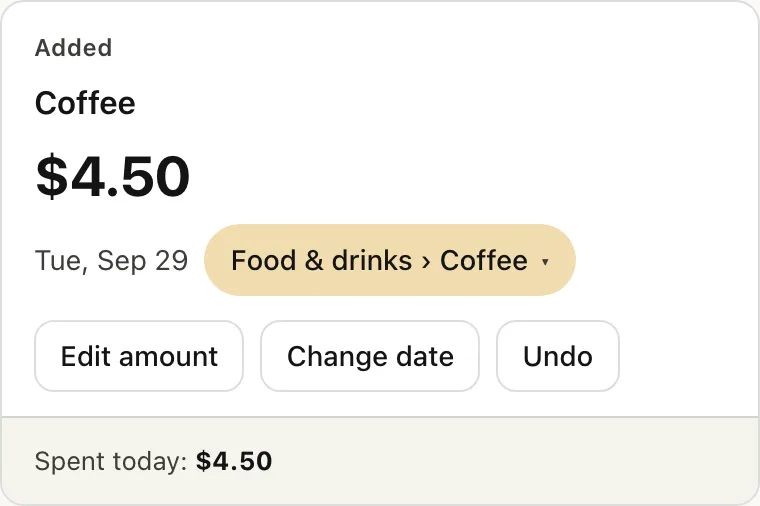
Type "coffee 4.50" like you'd text a friend. Expense Agent figures out the amount, date and category, then logs it. No app to install, no fields to fill, no dates to pick.
Already using it? Sign in
Sign in with Google or a code sent to your email. Rather log by chatting? Connect to Claude (the Free plan works too).
A day, a week, a month with Expense Agent
The cards shown are real Expense Agent cards, with sample data.
-
Morning · Log an expense
Type it like a text. It's logged right away and you get a card back: change the category, fix the amount or undo, right on the card.
coffee 4.50
-
Made a mistake · Just say so
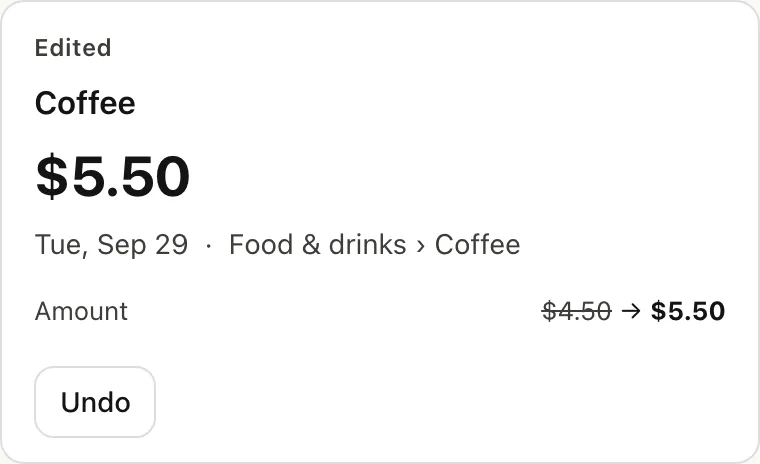
No need to hunt for it. Say it in plain words and the expense you just logged is fixed, with its history kept. Tap Undo to put it back.
actually that was 5.50
-
Noon · Not sure? It asks
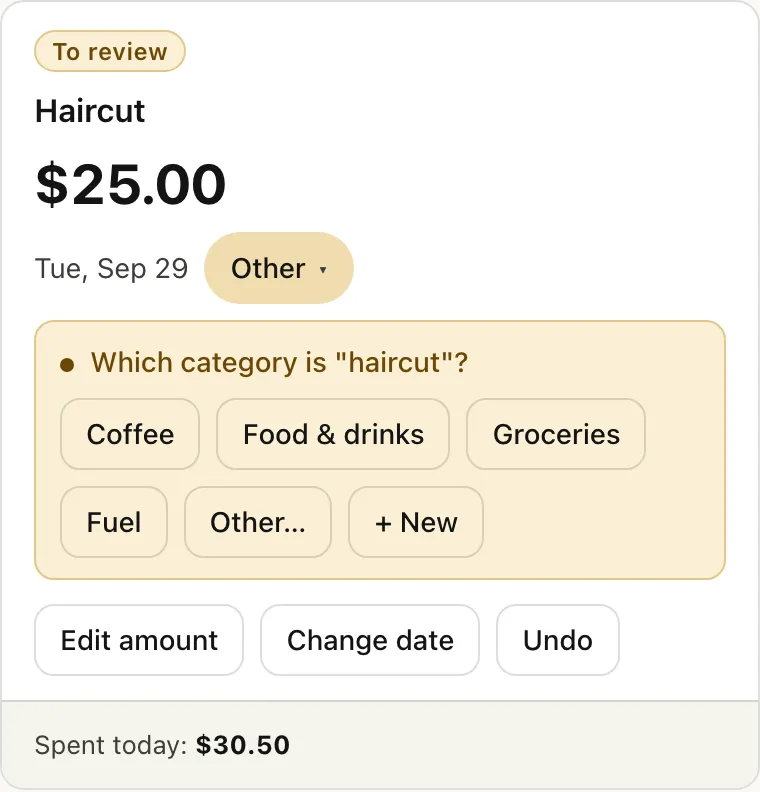
Which category does "haircut" go in? Expense Agent doesn't guess: it holds the expense and asks you. One tap and you're done.
haircut 25
-
Evening · Ask, get the number
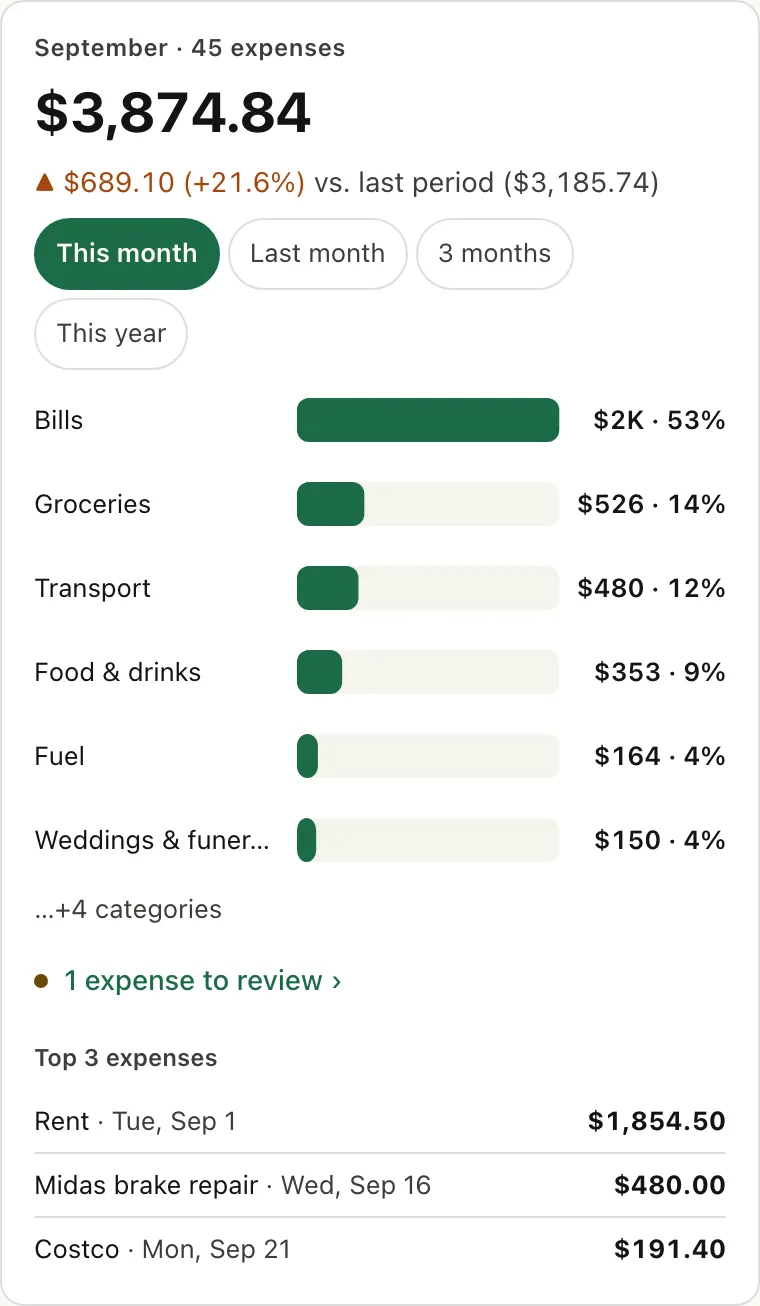
Your monthly total, how it compares with last month, and your top categories, all on one card. Tap to switch to last month, 3 months or this year.
how much did I spend this month
-
Monday · Weekly recap
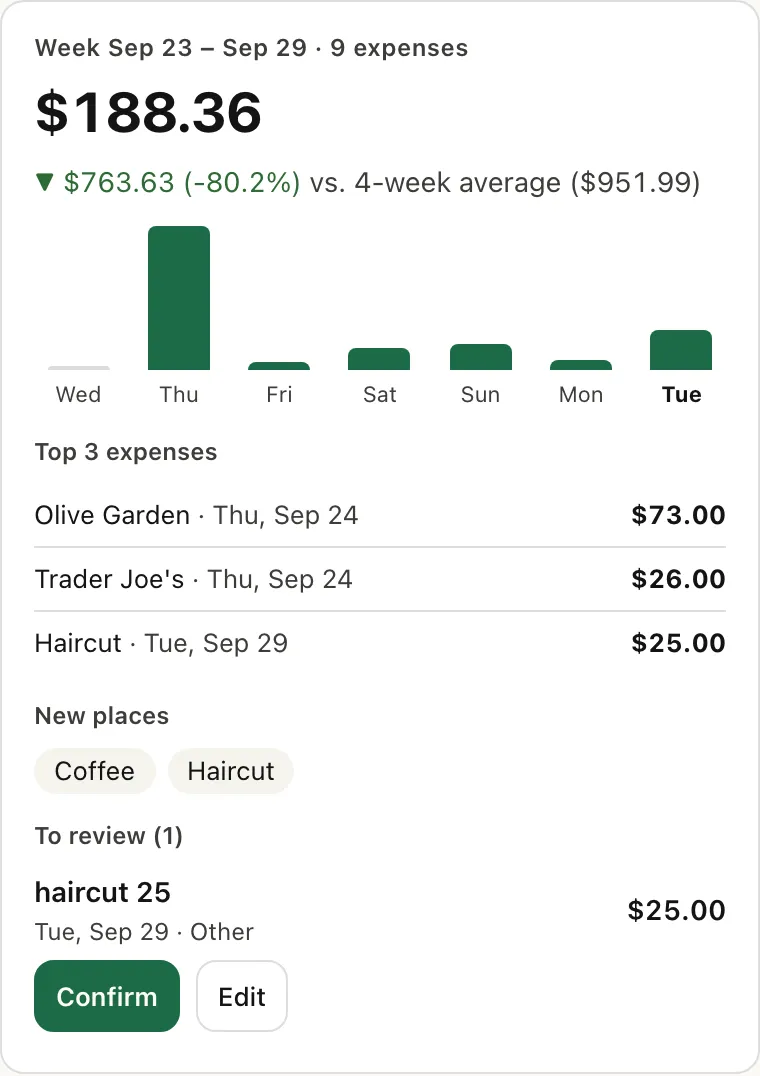
Your 7-day total, compared with your average over the previous 4 weeks, your 3 largest expenses, and anything still waiting for you to review.
weekly recap
-
Month end · Look back with Kakeibo
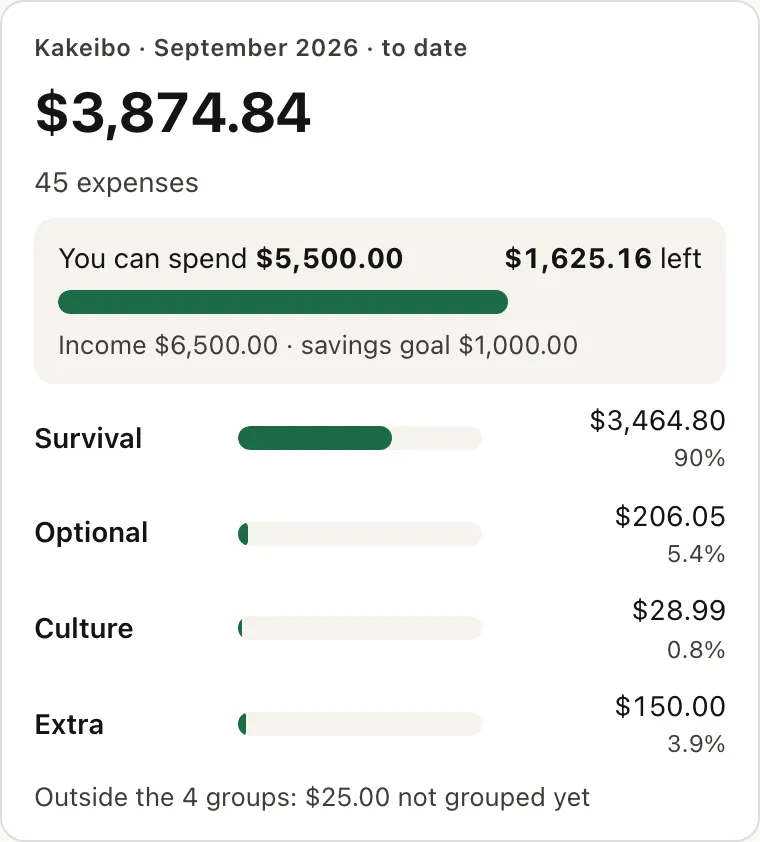
Kakeibo is a Japanese way of keeping a budget: sort your spending into 4 groups, then ask yourself a few questions at the end of the month. Expense Agent shows you where the money went; the takeaways are yours.
review my month
Claude passes it on, Expense Agent does the math
Claude only passes along exactly what you said. The amount, date and category are worked out by fixed rules, not by how Claude reads it.
Reads amounts the way you write them
- 4.50 → $4.50
- $12 → $12.00
- 1,200 → $1,200.00
- 1,200.50 → $1,200.50
- 20 EUR → $21.92
- €20 → $21.92
- $4.50 in a Canadian ledger → C$4.50
- "12,50" → asks first
Teach it once, it remembers
Say "Starbucks is always Coffee". From then on, it's sorted for you.
What else it does
- Shared ledger
- Share one ledger with your partner. You both see every expense, and each one shows who paid.
- Group ledgers
- Going on a trip? Start a group ledger, log who paid for what, and see who owes whom when you settle up.
- Other currencies
- "20 EUR" or "€30" is converted to your ledger's currency at a fixed rate (not updated daily).
- Dig in on the web
- The web ledger has charts, the full expense list and a box to add expenses.
Get started in 3 steps
- Open Claude in your browser or the desktop app (you only do this once) and go to Customize → Connectors → Add custom connector.
- Paste the connector link, click Add, and sign in with Google.
- Start a new chat and type "coffee 4.50".
See the full guide and get the link
Menu names as of Claude's interface on Sep 29, 2026, and may change.
FAQ
- Does it cost anything?
- Expense Agent is in a free trial and doesn't charge anything yet. If that changes, this page will say so first, and you can still stop and ask for your data to be deleted.
- Does it work on my phone?
- Yes. Open the site in your phone's browser, sign in and start logging. Using Claude? Add the connector on the web or desktop first; the Claude mobile app picks it up when you sign in with the same account.
- Where is my data stored, and who can see it?
- On servers in Singapore, kept separate for each account. For what's stored, who can see it and how to delete it, see the Privacy page.
- What if I log something wrong?
- Every expense has Edit and Undo buttons: fix the amount, date or category, or undo it.
- Can I use it without Claude?
- Yes. Tap "Start on the web" and sign in with Google or email to start logging. Connecting Claude is optional, for logging by chat.
- Will it tell me how to spend?
- No. Expense Agent only records and adds up. If you want suggestions, ask Claude.
- Can my partner and I share a ledger?
- Yes. In your ledger, go to the Members tab and tap "Invite someone" to get an invite message with a code. Your partner opens the link in it, signs in and taps "Join". Every expense shows who paid.